
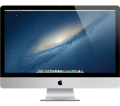
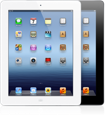
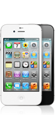
iMacs and MacBooks iPads iPhones and iPod Touches
Activate the “Find My iPhone” on all of the above devices!
Goto www.icloud.com to set it up….do it now!
This App will allow you to see your device’s location on a map and lock it if it is lost or stolen.
Record Your Devices Information
It is difficult for the police to help you if you can’t provide the details of your device, so you need to take the time to record the devices information. Write it down on a piece of paper, take screen shots of the “About” tab in the device’s settings page or take a photo of the box label and save it somewhere other than on the device. Make sure you record the following:
- Model
- Colour (Canadian eh)
- Memory Size
- Screen Size for iMac and MacBook
- Serial Number
- Airport I.D.
- Anything unique about your device – damage, case, ect.
- For iPhone record the I.M.E.I. Number see the “Smart Phone” page for more details
Activate the Password lock on all of your devices and back up your data.
 TheNerdCop.com